Build your monthly budget and know what you have left.
Does your paycheck run out before the month does? A budget tells you how much you can spend on each thing, and Svolta builds it with you. You enter what you earn, choose what percentage goes to each category and the app works out the amount. Every expense you log is taken off, and you see what you have left. You don't need to connect your bank.
See how it works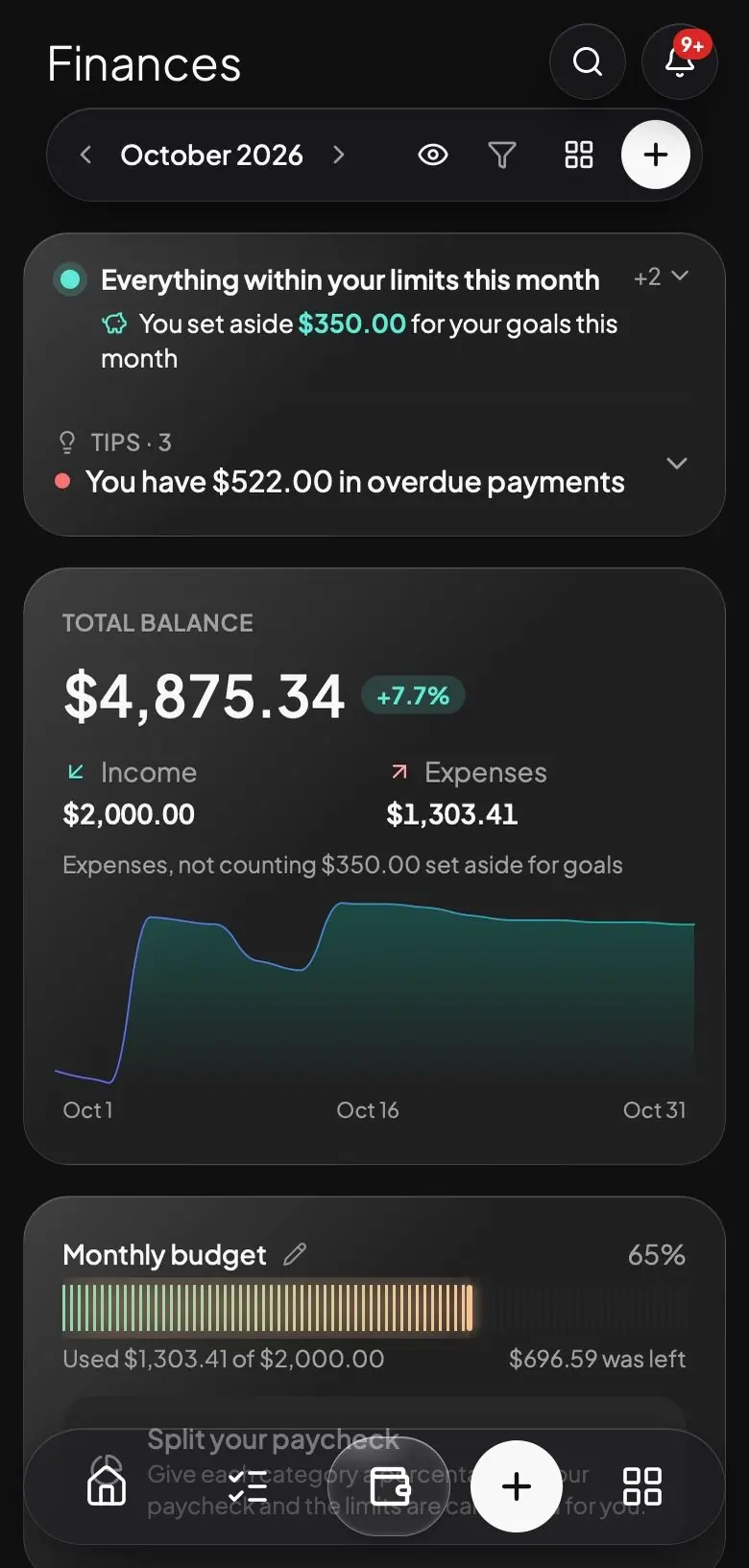
Split your paycheck into the percentages you choose.
You can use the 50/30/20 rule (needs, wants and savings), set a limit for each category or build your own percentages. Svolta works out the amounts, and if your paycheck changes, they're recalculated on their own. How much goes to each category is up to you.
Get a warning before you go over.
When you reach 80% of a category's limit, Svolta lets you know, and again when you reach 100%. That way you find out in time and not at the end of the month.
 SVOLTAnowClose to your limitFood: you've spent $203.83 of $250.00 (81%) this month.
Ask what you have left, the way you'd ask a person.
You write "how much did I spend on food this month?" to the assistant and it answers with your numbers: what you've spent, your limit and what you have left.
You've spent $203.83 on Food this month. Your limit is $250, so you have $46.17 left.
Your fixed payments are already counted.
Rent, internet or your subscriptions are saved once, with their billing day, and they're logged on their own every month. You see your upcoming payments before they arrive.
It works whether you're paid monthly or twice a month.
You can set your paycheck as monthly, twice a month, every 14 days or weekly, and your plan for the month takes it into account.
Frequently asked questions
What is the 50/30/20 rule?
It's a way to split your paycheck: 50% for needs, 30% for wants and 20% for savings. In Svolta you can use it as is or change the percentages.
How do I make a monthly budget on my phone?
Open Finances, enter what you earn and choose how to split it. From then on, every expense you log is taken off its category.
Does Svolta tell me how much to save?
No. Svolta shows you your numbers and works out what you decide to split. How much to save and what to spend on is up to you.
Does it work on iPhone, Android and computer?
Yes. You open it from your browser, without going through an app store. If you want notifications on your phone, you can add Svolta to your home screen.
Is Svolta free?
No. Svolta costs $6.99 a month or $59.99 a year, with every area included, and you can cancel anytime.
Your budget is only one part.
With the same account you can also record your habits, your workouts, your studies, your tasks, your goals and your notes.